How to play
CountdownSolver has one screen per round, picked from the sidebar, plus a Settings screen. This page walks through each one: what to enter and how to read the result.
Numbers
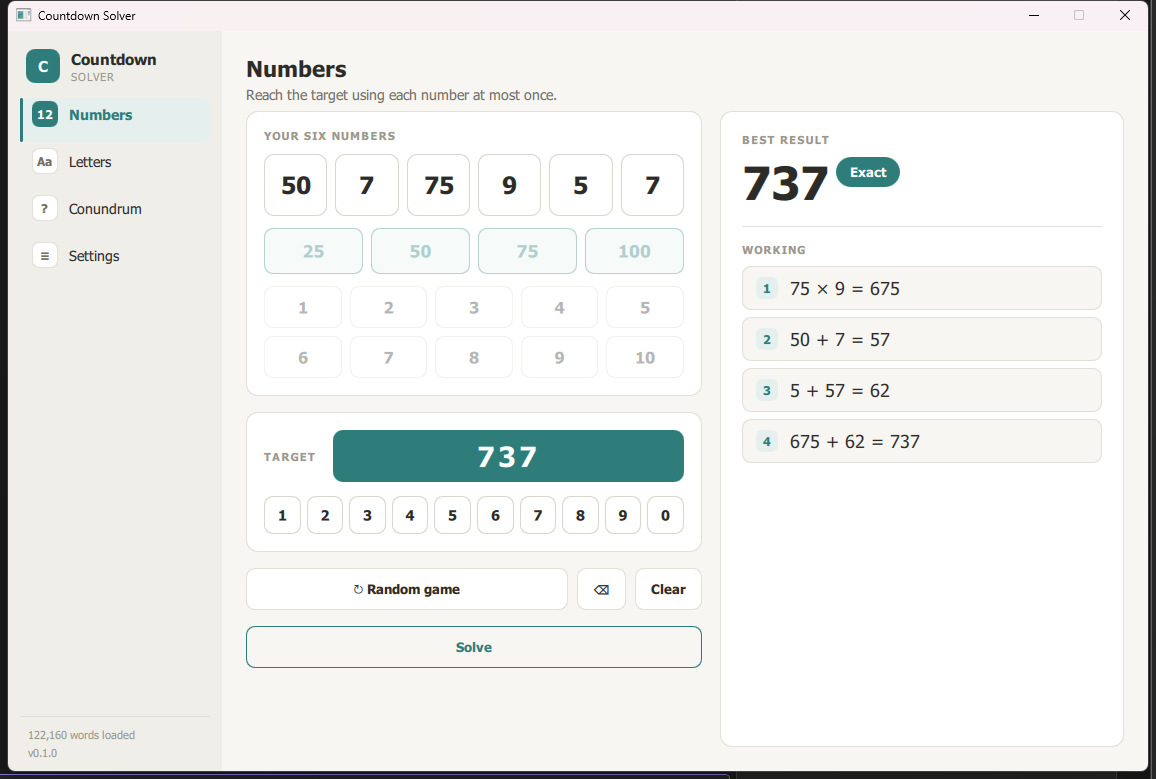
- Fill the six selection tiles from the number pads: the accent-coloured pad (25, 50, 75, 100) for the "large" numbers, and 1–10 for the "small" ones — pick any mix, same as on the show.
- Enter a target between 100 and 999 on the keypad.
- The result card shows:
- The best value the solver reached, in large type.
- A badge next to it — filled accent if it's an exact match, or "N away" if not (only shown when flag inexact is on in Settings; otherwise it's shown quietly either way).
- Numbered working steps, one calculation per line (e.g.
75 × 6 = 450), building up to the final value. Each number from the six tiles is used at most once, and every intermediate result stays a positive whole number — same constraints as the TV show.
If a tile or the target is still empty, the card prompts you for what's missing instead of showing a result.
Letters
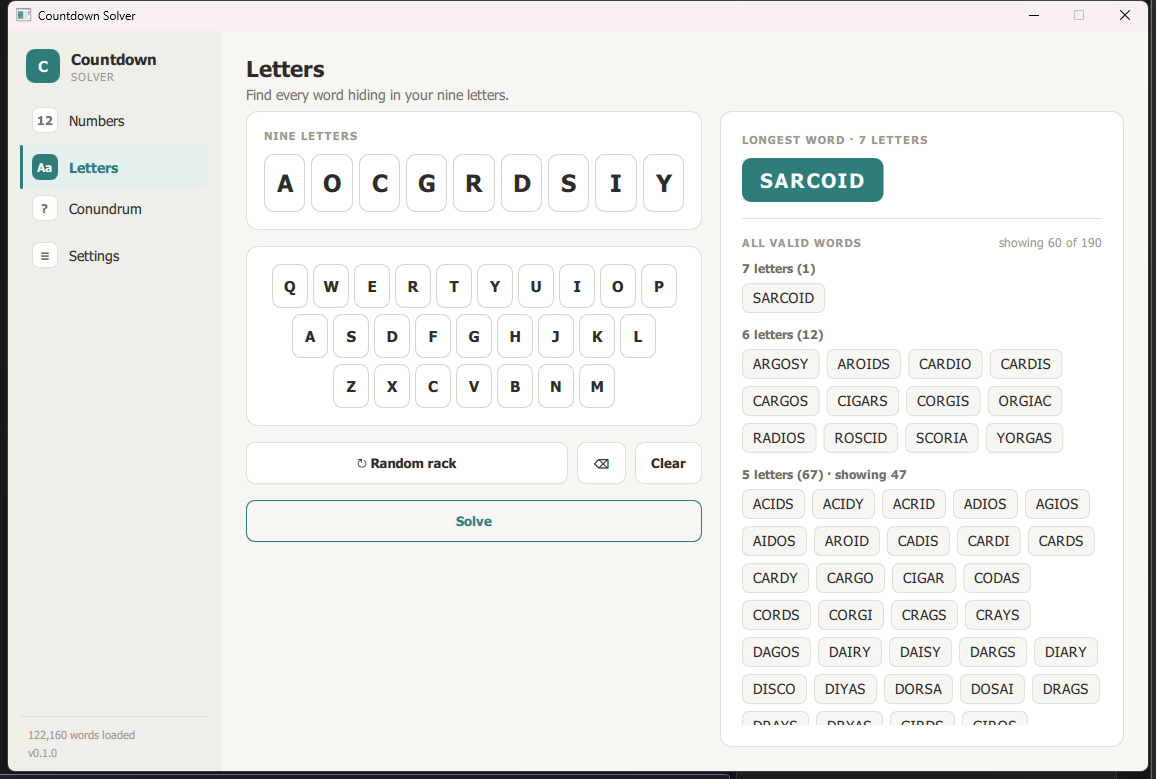
- Fill the nine letter tiles using the on-screen keyboard (or your keyboard) — any mix of vowels and consonants, same as the show.
- The result card shows:
- The longest word(s) found, as accent-coloured chips — there can be more than one if several words tie for longest.
- Every other valid word, grouped by length (longest first) as outline chips, with a "showing X of Y" count if the list is capped (see max results in Settings below).
Conundrum
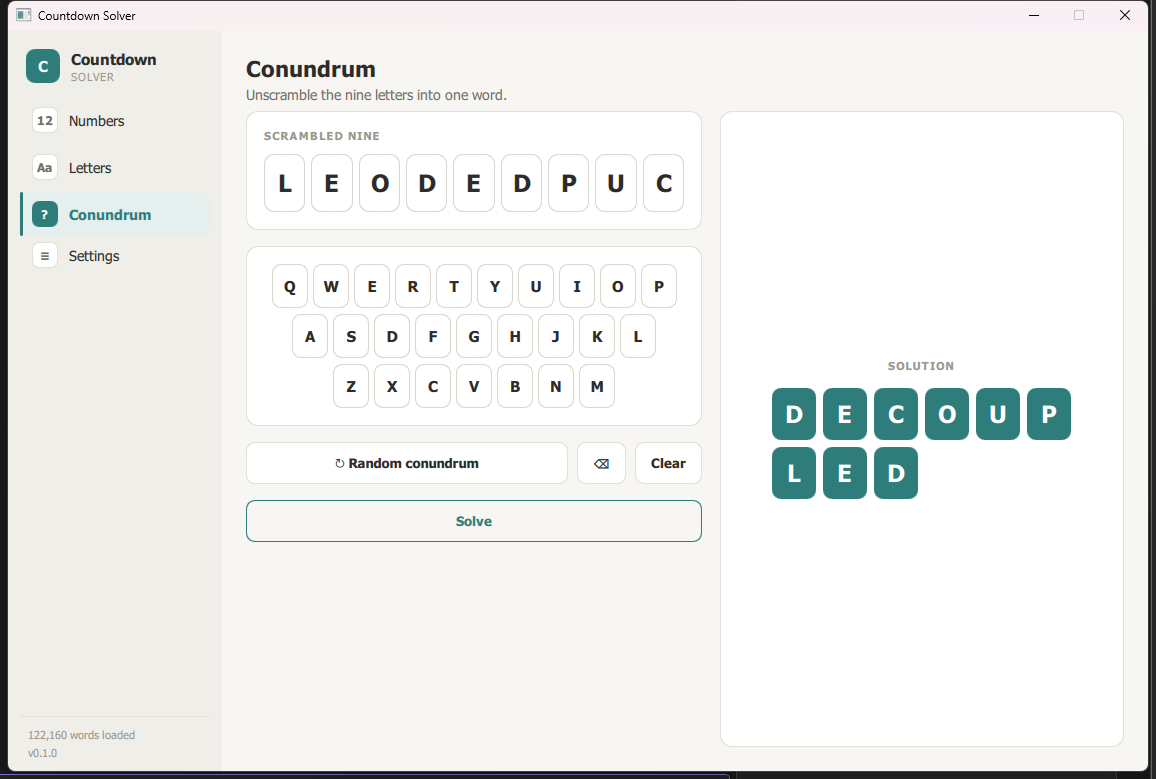
- Nine scrambled letters are shown as tiles — use the
↻button to generate a new one, or type your own nine letters. - Reveal the solution: a 3-column grid of accent tiles spells out the single word that uses all nine letters. Any other valid nine-letter answers are listed below it.
Settings
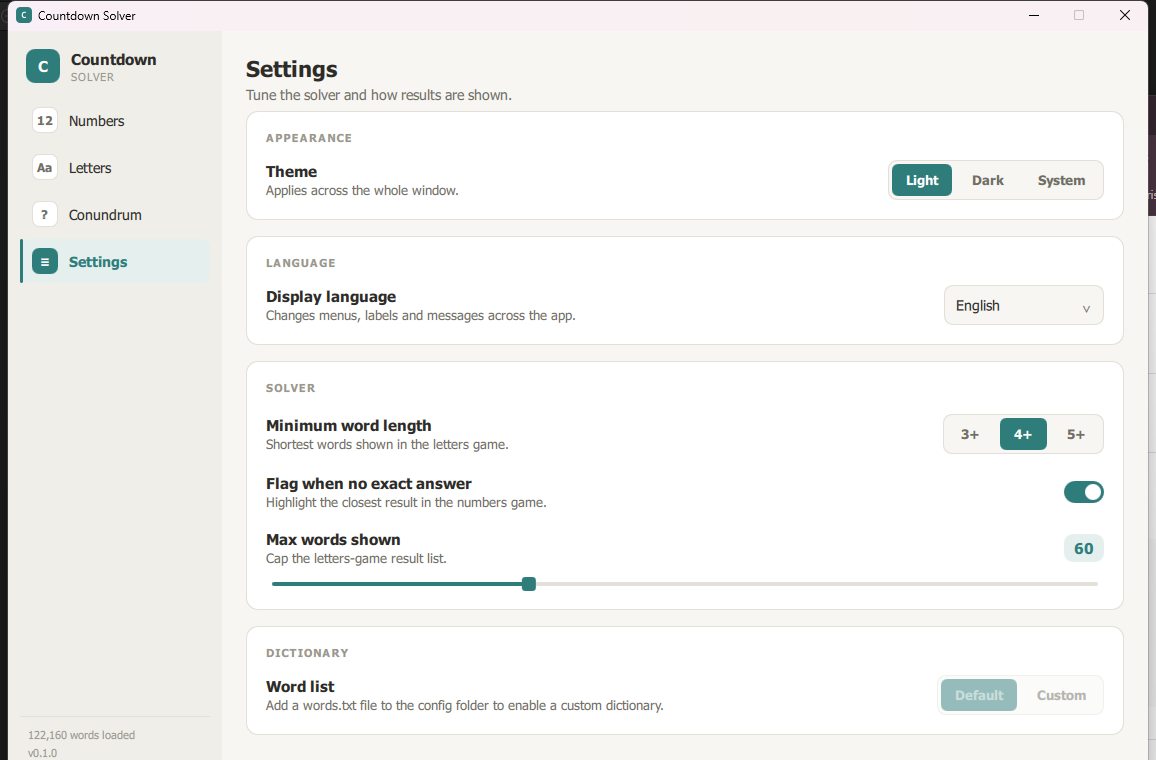
- Appearance — light, dark, or system (follows your OS setting).
- Solver — minimum word length for Letters results, whether to flag inexact Numbers results with the "N away" badge, and a max-results slider to cap how many Letters words are shown.
- Dictionary — switch between the bundled sample word list and the full ~122k-word dictionary. To use your own word list entirely, see Using your own word list.
Languages
Settings also has a language picker: English, plus French, German, Spanish, Arabic, Hebrew, and Yiddish — including right-to-left layout for Arabic and Hebrew, shown here with the display language set to Arabic:
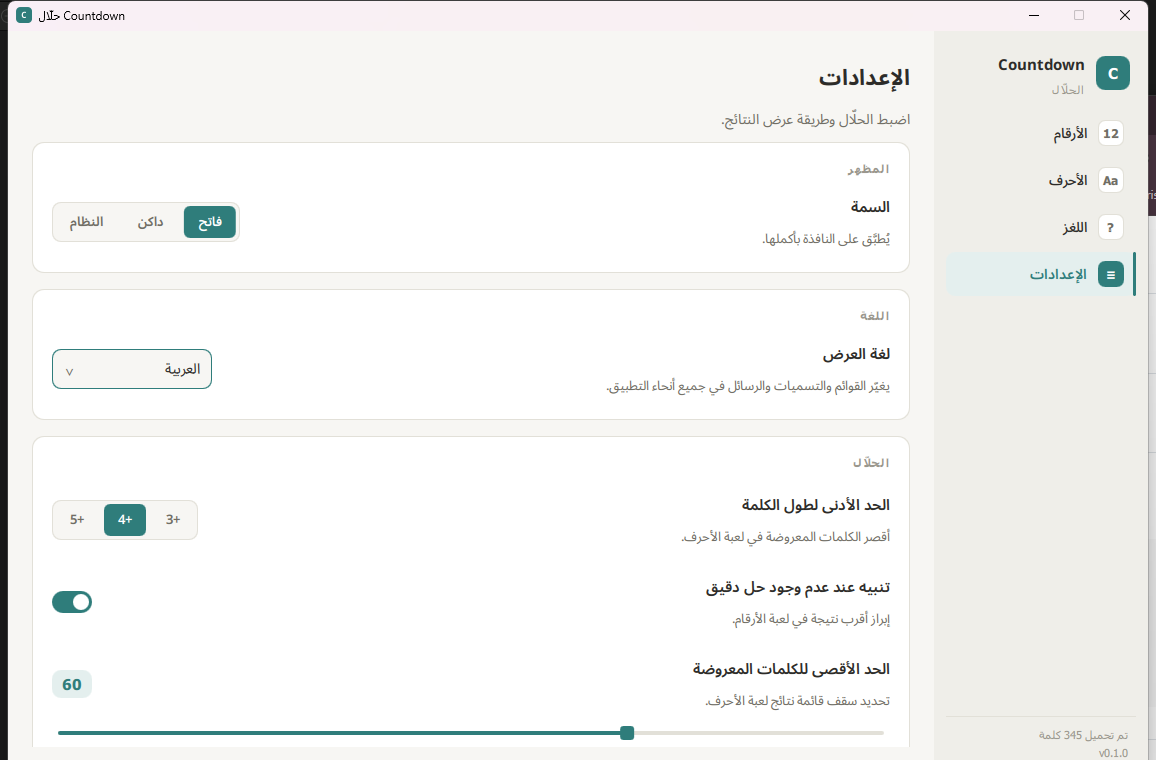
Switching the display language changes both the UI chrome (menus, buttons, Settings itself) and gameplay: the Letters and Conundrum rounds solve against that language's own dictionary and alphabet rules (e.g. French draws a 10-letter rack instead of 9; German keeps ä/ö/ü distinct from a/o/u), not just the on-screen labels. The Numbers game is language-independent — it's arithmetic, not words.